Description
Related Options PRO is an improved version of the Related Options module. It lets you use different groups of related options for different products and multiple groups within one product.
The basic functionality of the module (the same as in the non-PRO version):
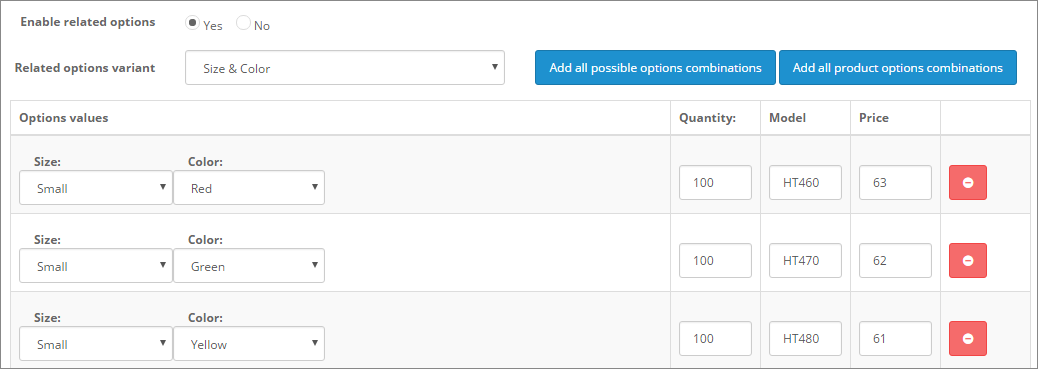
The module lets you create combinations of related options (dependent product option values) and assign its own stock, price, model etc. for every combination. It is useful for sales of products having interlinked options (such as size and color for clothes). It lets you combine not a couple, but any number of options, and lets you set different combinations of related options for products (for one product it can be color + size, for other width+length, for next color+width+length, etc).
Some basic features of the module are demonstrated in the video.
Standard OpenCart lets you create options such as Size (Large, Medium) and Color (Blue, Red).
However, it does not let you define combinations of option values.
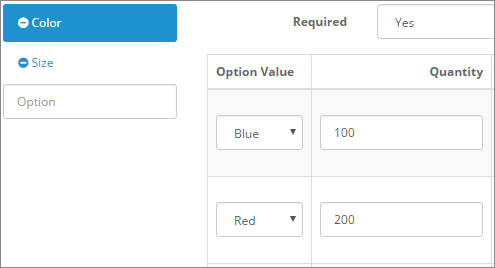
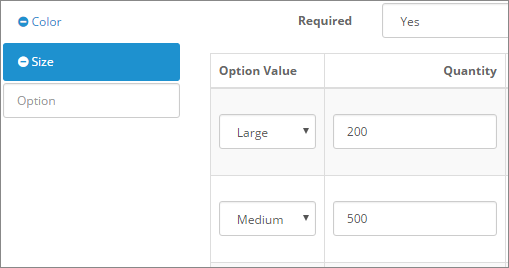
The Related Options module is based on the standard functionality of product options, but the module significantly improves it. The module lets you create combinations of option values, set separate stock, Model, price (if needed) for every combination and limit customers to select only available combinations of option values.

When combinations of related options are set for a product, the module allows customers to select only available combinations. Two selection modes are available:
- Default - Selecting a value in any related option disables incompatible values in the other related options.
- Step-by-step - Selections in earlier options limit the available values in later options. Earlier options remain available even if their values are incompatible with later selections.
For both ways of limitation, the module provides two possible styles of disabling unsuitable option values:
- Default - unavailable option values stay visible, but grayed (unselectable)
- Hide unavailable - unavailable option values become invisible (hidden)
These four animations demonstrate how the module works with Radio options. The module also supports Select and Image options and works in the same way.



You can combine values from two, three or more options. You can configure the groups of related options on the module settings page.
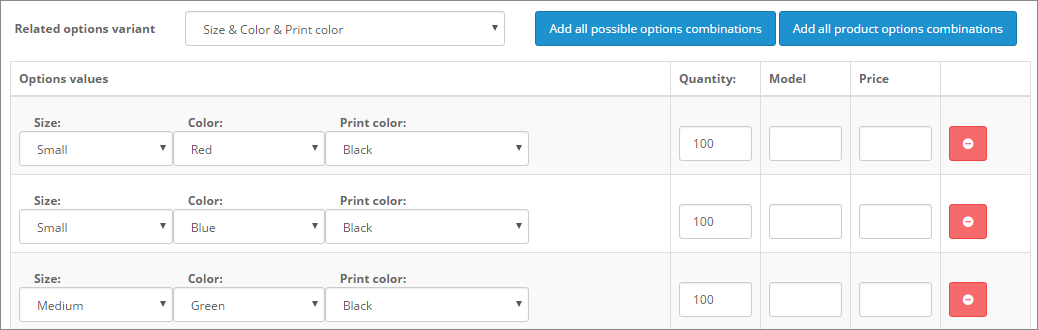
In addition, the module lets you set more specific data per combination of related options: SKU, UPC, EAN, Location, Out Of Stock Status, Weight (all these fields are optional and can be enabled on the settings page of the module).

You can set a price for each combination, use the price prefixes "=", "+" and "-", and configure separate quantity discounts and special prices.
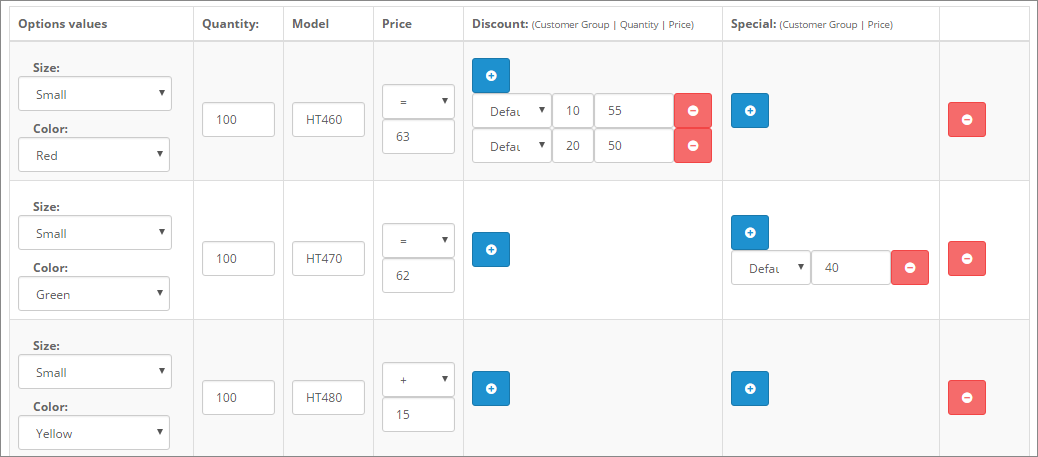
You can also set default combinations of related options. These values are selected when the customer opens the product page.
The extension supports XLSX import and export from its settings page. You can import and export all combinations of related options. Synchronization uses the IDs of options and option values.
The extra functionality provided only by the PRO version of the module (Related Options PRO):
The module lets you use many variants of related options per product.
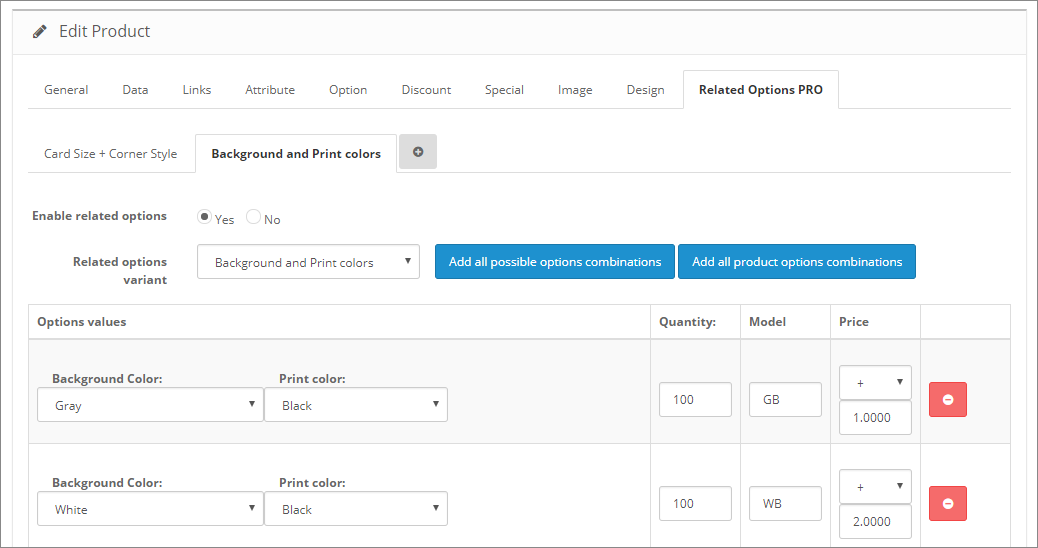
For example, the product shown in the image has two different variants of related options: "Card Size + Corner Style" and "Background and Print colors".
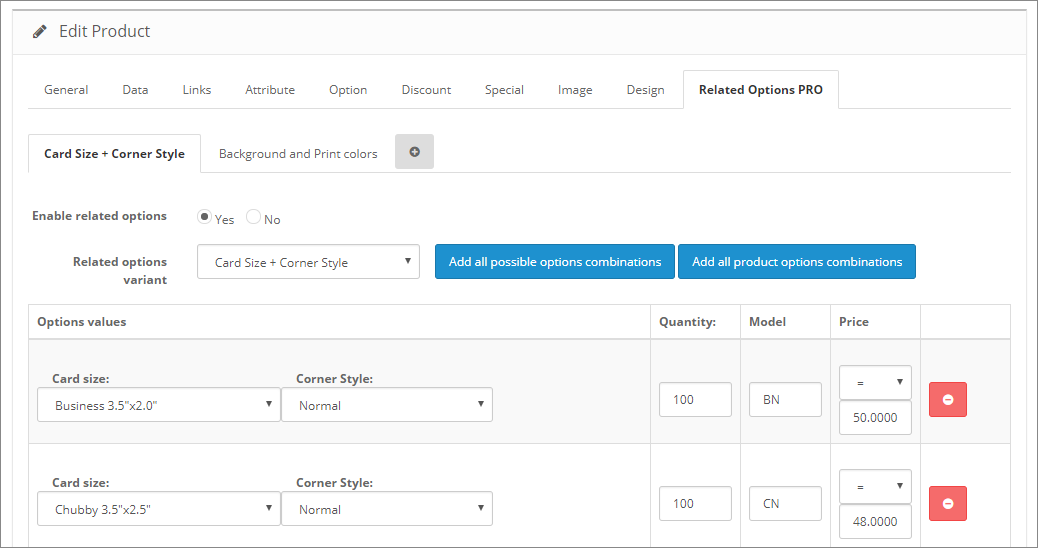
Every variant in the example uses its own options and both of the variants affect the product price (combinations from the first variant of related options replace the basic product price with their own prices, combinations from the second just increase the product price by their values).
We recommend to use Related Options PRO together with our Live Price module or our Live Price PRO module, to make product pricing more clear for customers (both modules are completely compatible with all pricing features of the Related Options PRO module).