Description
The module lets you show or hide child product options (option groups including their values if any) depending on selected values of their parent options.
In the standard OpenCart, if a product has some options, they are always available on the product page in the customer section. Parent-child Options lets you set specific conditions (selected values of parent options) for option displaying.
On the product edit page tab "Option" in the admin section, for every product option, the module displays the parent setting block.
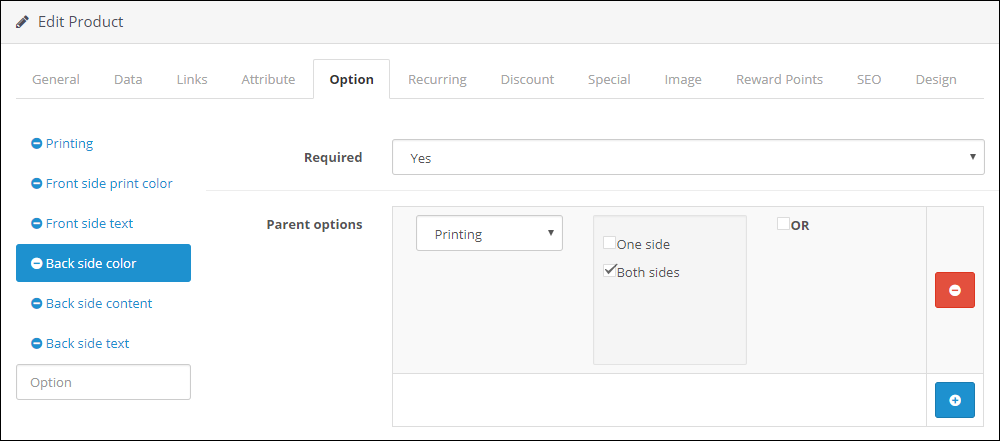
It is possible to set several parents for one option. In this case there are two variants of the child option displaying on the product page in the customer section:
- By default, the child option is shown when the required values are selected in all parent options.
- With OR enabled, the child option is shown when a required value is selected in any parent option.
The module also lets you create cascades of parent-child dependencies (any child option can be a parent for another option, etc.).
On the product page in the customer section, the module immediately displays appropriate child options when a parent option value is selected.

The same way Parent-child Options works on the order edit page in the admin section.
The extension supports XLSX import and export of all parent-child settings from its settings page. The synchronization is based on identifiers of options and option values (option_id, option_value_id) or optionally on identifiers of product options and product option values (product_option_id, product_option_value_id).