Description
What is Customer Extended Features?
Customer Extended Features combines customer quick view, notes and account merging in one extension.- Customer Quick View
- Customer Notes
- Customer Merge Extension
Easily view complete history of customer orders with the possibility to add notes directly from the order and customer list pages.
You can also check out the revenue generated and total orders made just with a single click for each customer.
Merge one customer account into another while keeping order history and selected customer details.
Send emails directly to customers without leaving OpenCart with 2 templates unique for each admin user.
We go in more details below...
Customer Quick View
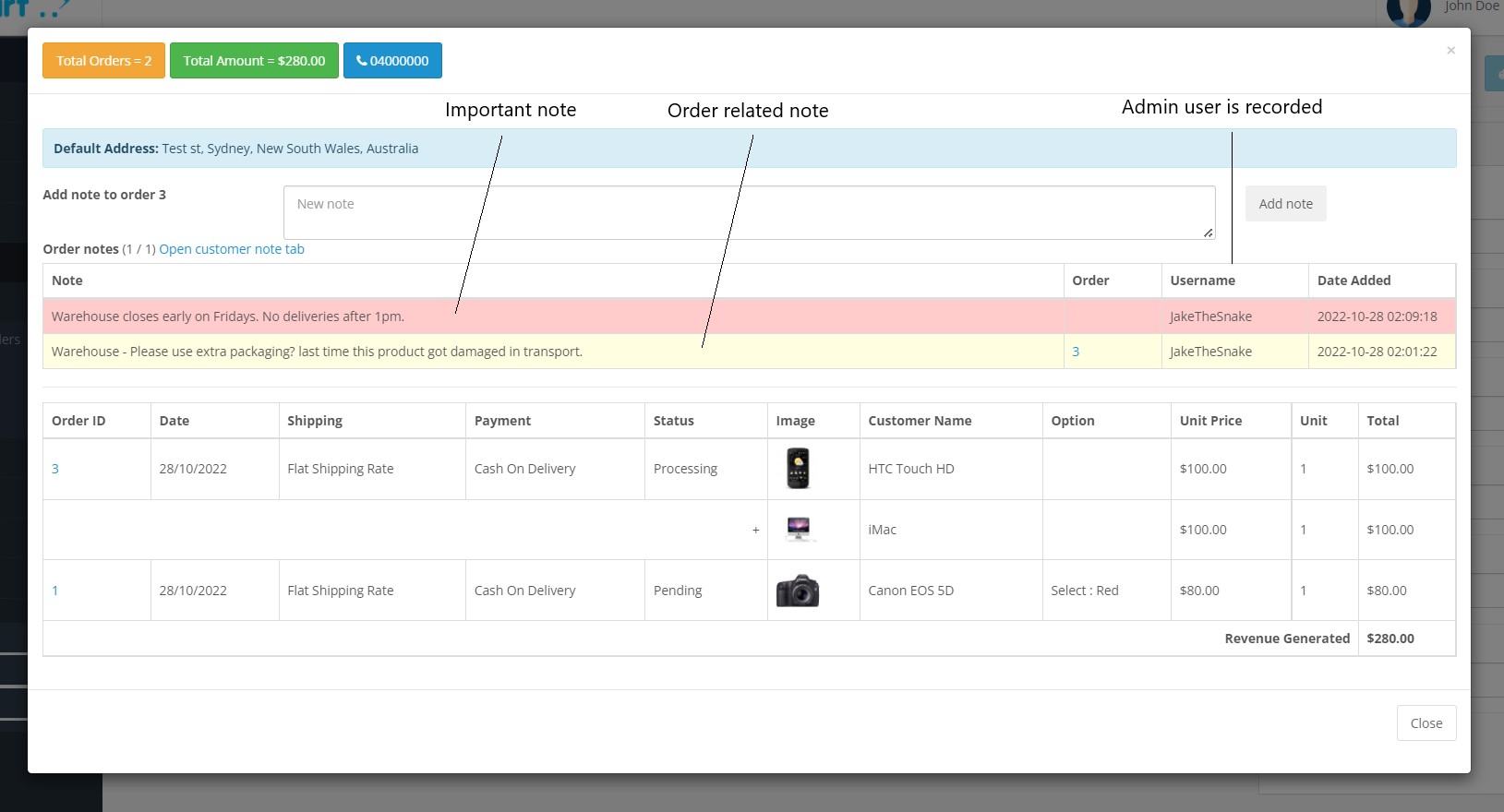
Via popup we have added access to valuable customer information including- Order History
- Products Purchased
- Revenue Gained
- Customer Contact Details
- Admin Notes (explained below)
Complete Notes extension
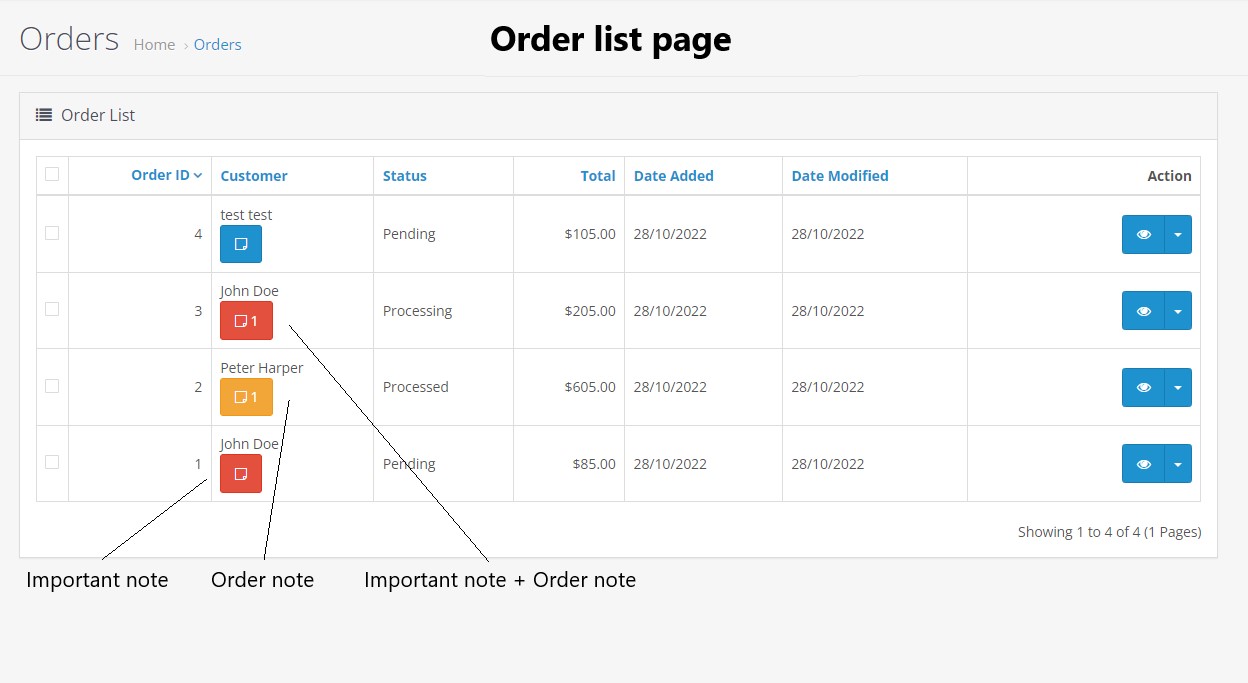
With this extension you can add "admin side" notes to orders a new button is added to the order list page with a communication trail for other staff members to read and action!
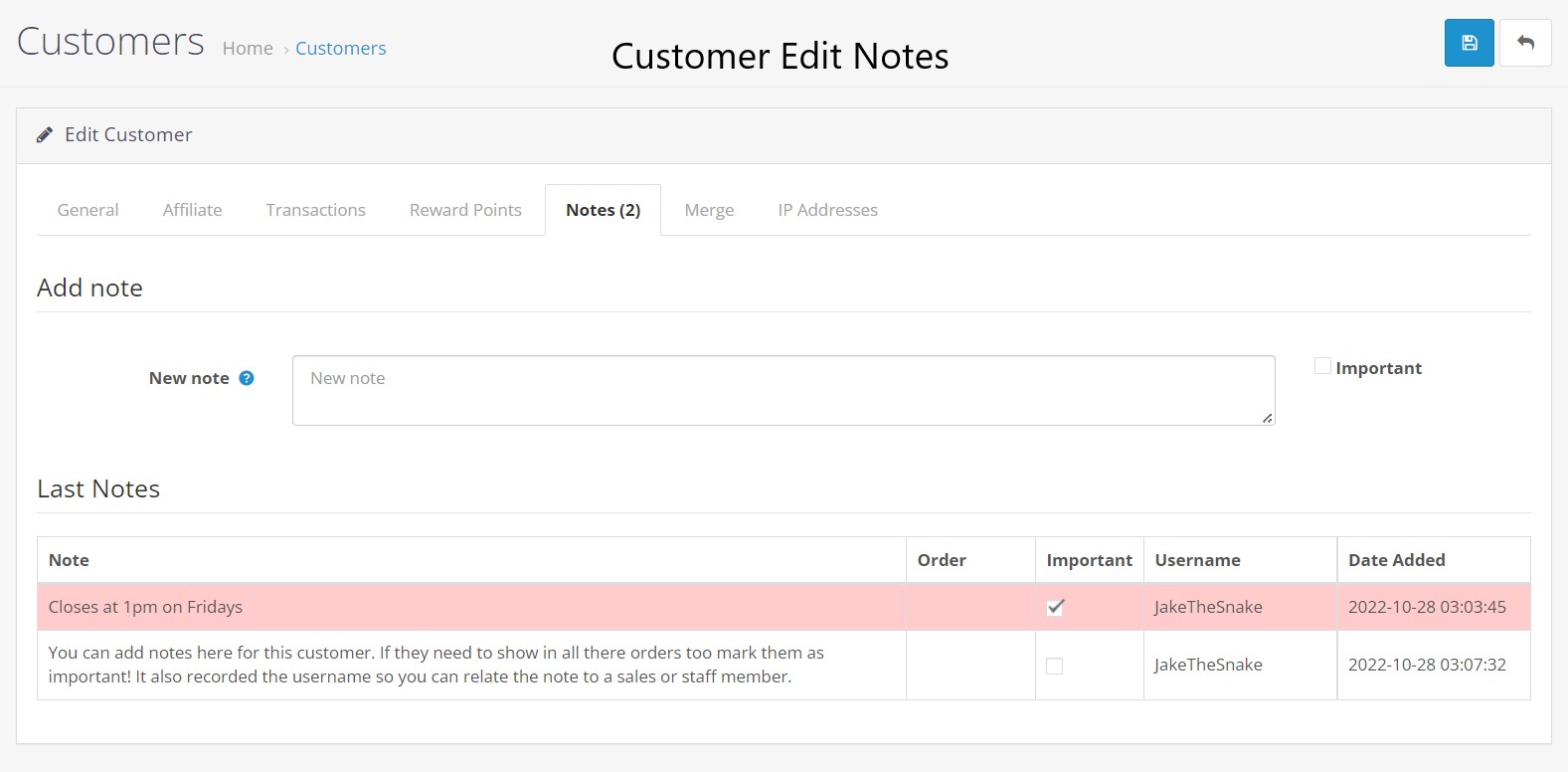
Also its possible to add customer notes in the customer edit section, use this to write important sales based notes helping to retain information you can use in the future.
By marking these notes important via the checkbox before saving this will show the red button on the order list page to notify its existence.
Each note records the author, date and time.
Merge Customer extension
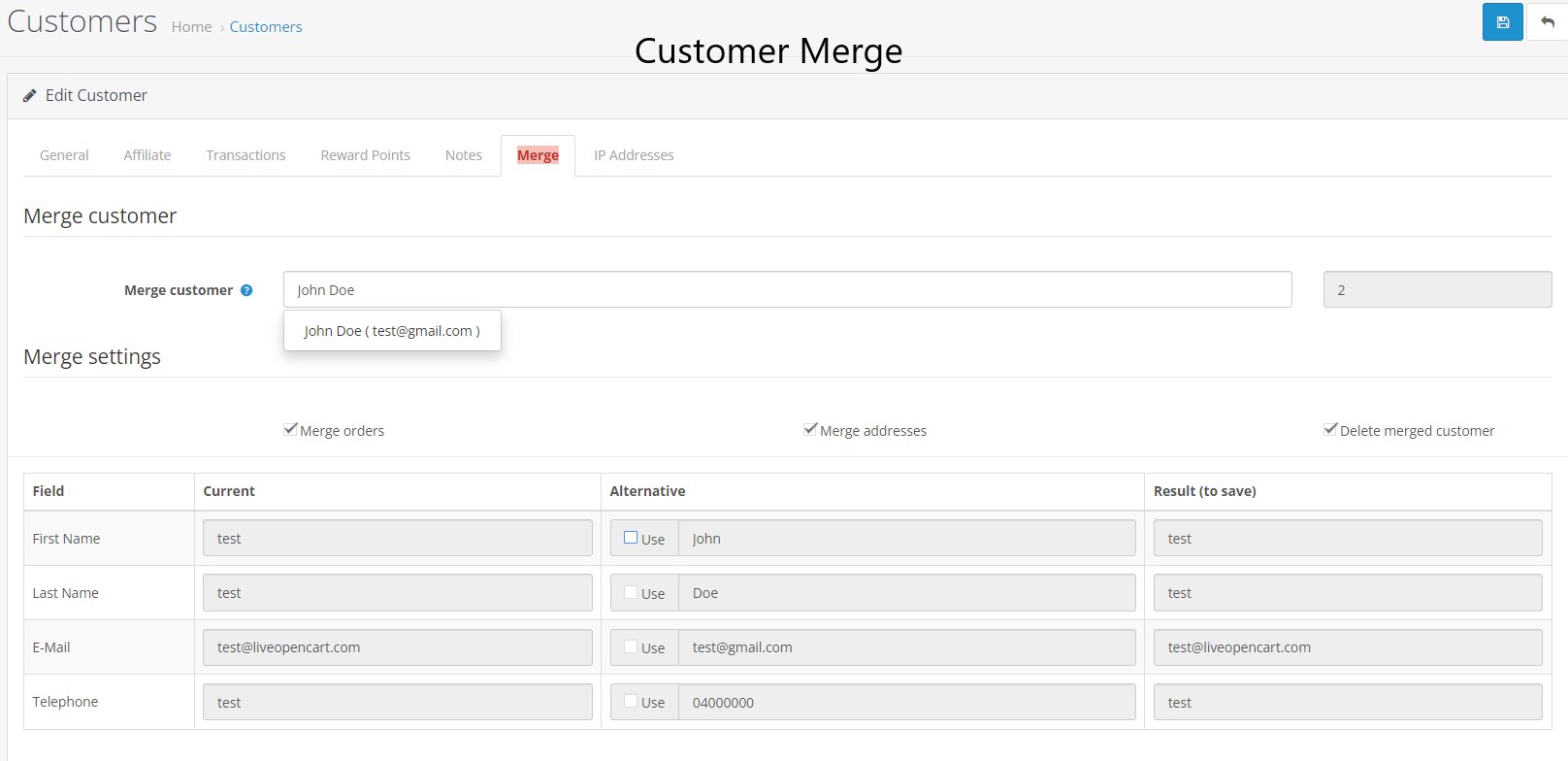
Merge one customer account into another while keeping order history and selected customer details, such as addresses. You can choose which details to keep or discard.There will be a new tab added to the customer edit section called "Merge" here you can select the customer profile and what details to override and delete.
Feature Summary
- New button added on order list page with color change and notes added. Clicking on this button gets you complete history of this customer.
- You can check all products ordered with images and totals.
- You can check order ids for this customer along with link to orders.
- You can check shipping and payment method used for each order.
- Feature to calculate total number of orders.
- Feature to calculate total revenue generated.
- Feature to directly show phone number directly on list page.
- Now you can send email to customers from customer list page directly.
- Each admin user can save two email templates with content in multiple languages.
- You can also leave customer notes. These notes are visible in the admin area, not to customers.
- The popup also works on smartphones.
- Merge existing customer profile to another existing customer